Walk-in Dermatology offers Video Visits as an alternative way to follow-up with one of our providers. This is part of our continuing commitment to provide convenient care to our patients.
How to Join a Video Visit
First things first
Before your appointment
Take a moment to get ready a few minutes before your scheduled visit.
Good connectionMake sure your device has a reliable internet or Wi-Fi connection.
Good lightingChoose a well-lit space where your provider can see you clearly.
Camera & microphoneUse a device with a working camera and microphone.
Joining your appointment
Open the link on your phone or tablet
Depending on the message you receive, follow one of the two options below.
Option 1
From your Klara conversation
If you receive a text inviting you to view a message from our office:
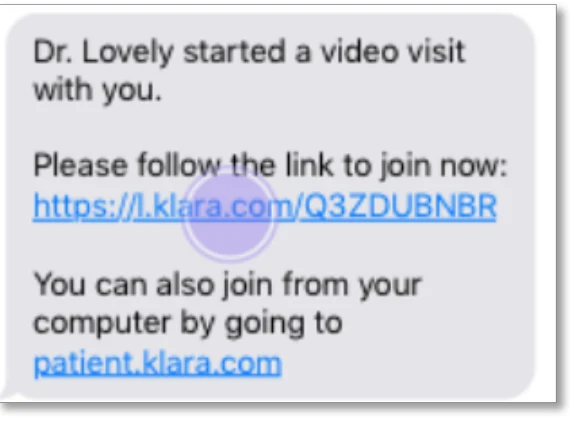
1Tap the link in the text message.
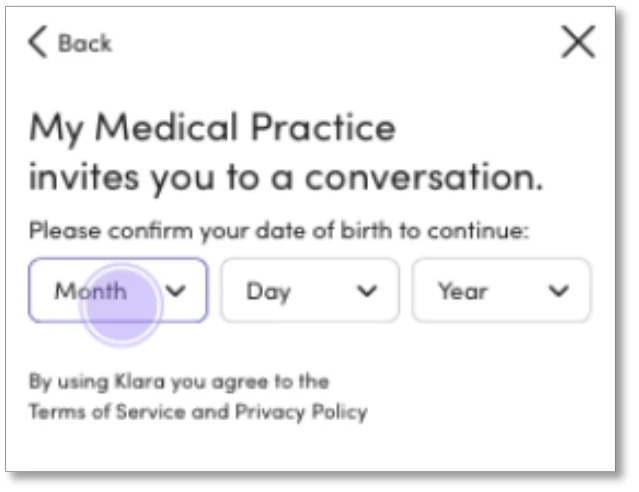
2Verify your date of birth when prompted.
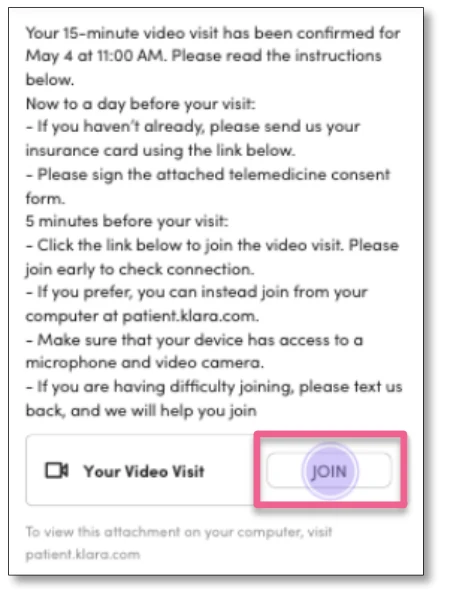
3In the conversation, find “Your Video Visit” and tap “Join.”
Example screens
Verify your date of birth
Tap “Join” in your message
Privacy note: For security, Klara asks you to re-verify your date of birth every 30 days.
Option 2
From a direct visit link
You may receive a text around your appointment time when your provider is ready.
1Open the text message containing your video visit link.
2Tap the link to open the visit in your phone's browser.
Example screens
Tap the video link in the text
The screens above are examples. Your practice name and appointment details may look different.
Use the recommended browser:iPhone or iPad: SafariAndroid: Chrome
You're almost there
Get connected with your provider
1. Allow access
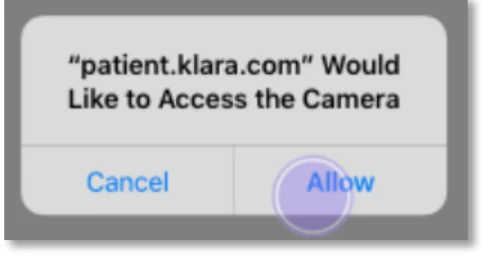
If prompted, select “Allow” so your browser can use your camera and microphone.
2. Check your settings
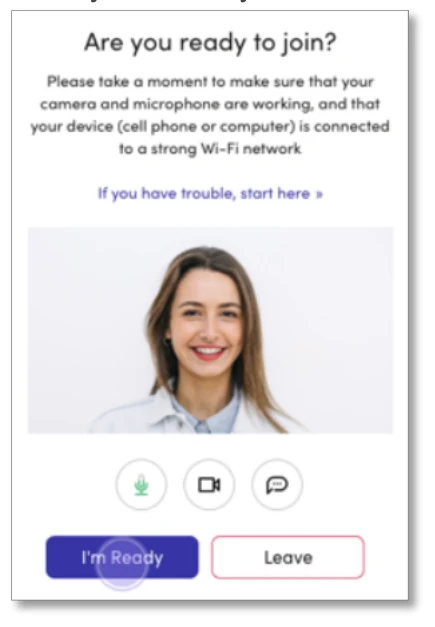
Confirm your camera, microphone, and connection are working. Then tap “I'm Ready.”
3. Join your visit
If your provider hasn't joined yet, you'll see a waiting message. Your visit starts when they join. Use the hang-up button when you're finished.
What the next screens look like
Select “Allow”
Tap “I’m Ready”
Having trouble connecting? Check your internet connection, make sure you're using the recommended browser, and confirm your camera and microphone permissions are enabled.
Sign up to receive updates and valuable promotions.